Can an AI really build a full eLearning course in minutes? I put it to the test.
A few years ago, if you wanted a proper eLearning course — the kind with narrated slides, quizzes, animations, and a video presenter walking learners through the material — you were looking at weeks of work and a budget that made your finance team wince. Instructional designers, voiceover artists, animators, and a project manager juggling all of them. Six weeks was considered fast. Then the invoice would land somewhere in the thousands, sometimes tens of thousands, depending on how polished you wanted it.
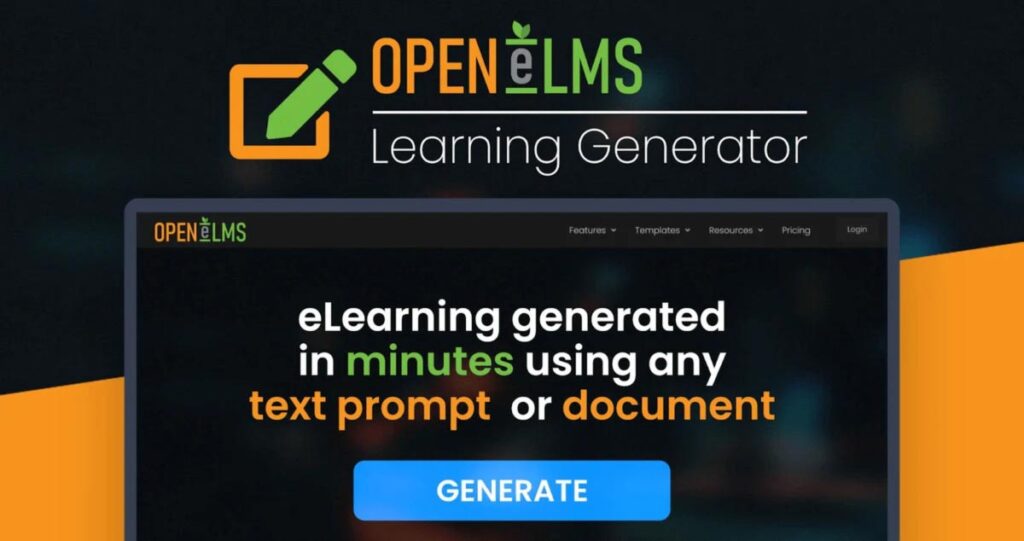
That’s the world Open eLMS Learning Generator is trying to blow up. Instead of a production team, you get a single AI-powered platform that takes your document, your notes, or even just a rough text prompt, and turns it into a finished, multimodal course — completed, by all accounts, in minutes rather than months. It sounded almost too good to be true, so I dug into what it actually does, how it’s priced, and whether it holds up. Here’s what I found.
What Exactly Is Open eLMS Learning Generator?
Open eLMS isn’t a brand-new startup throwing around AI buzzwords for the first time. The company behind it has reportedly been building bespoke eLearning for large organizations, including FTSE 100 companies and government institutions, for more than two decades. The Learning Generator is their attempt to compress everything they’ve learned about instructional design into an automated tool that anyone can use, no design background required.
Here you can check Open eLMS.
At its core, the platform takes an input — a Word document, a PDF, a set of notes, or simply a written prompt describing what you want to teach — and builds a structured course around it. That course isn’t just slapped-together text. It comes with on-screen visuals, background imagery, animation, a synthetic voiceover, and optionally an on-screen video presenter narrating the content, plus knowledge checks and quizzes woven in along the way.
Once the AI produces the first draft, you’re not stuck with it. There’s a full drag-and-drop editing suite in the browser where you can rewrite text, swap images, add your own media, or restructure the flow entirely. So it’s less “AI black box” and more “AI does the heavy lifting, you polish the details.”
The Features That Actually Matter
1. Genuinely Multimodal Output
A lot of “AI course generators” on the market really just produce an outline and maybe a quiz. Open eLMS goes considerably further. In a single pass it can generate the script, the animation, the imagery, the voiceover, and even a video presenter — all connected into one coherent course rather than a pile of separate assets you have to stitch together yourself.
2. Voiceovers in Any Language
If you train a global workforce, or teach an audience that doesn’t share your first language, this is a big deal. Rather than commissioning translation and re-recording narration (which is where a lot of localization budgets quietly disappear), the platform can generate voiceovers in a wide range of languages directly from the same source material.
3. Real Personalization, Not Just a Template Swap
Tone, length, and delivery style can all be adjusted so the same source material can become a punchy five-minute refresher for busy managers or a more in-depth, comprehensive module for new hires who need the full picture. That flexibility is genuinely useful for HR and L&D teams juggling different audiences with the same underlying content.
4. It Plays Nicely With Your Existing LMS
One worry with any new eLearning tool is whether it becomes its own walled garden. Open eLMS exports finished courses as SCORM-compliant files (both 1.2 and 2004 standards), which is the format almost every corporate and academic LMS expects. Courses can also be embedded directly on a website, shared as a plain link, or exported as a standalone video, PowerPoint deck, podcast, mindmap, or summary document.
5. No Design Skills Required
This is the part that keeps showing up in user feedback — people with zero background in instructional design describing themselves as suddenly capable of producing something that looks genuinely professional. The interface is built so that dragging, dropping, and typing gets you most of the way there.
What Real Users Are Saying
I always take marketing copy with a grain of salt, so I looked at what actual buyers were reporting after using the tool. The pattern across independent reviews was fairly consistent, and a few points stood out.
One user described feeding the platform a transcript from their own teaching video, letting the AI outline a course from it, and being surprised at how well the content was chunked and organized once it came back out the other side. — verified buyer
Another reviewer, who runs a yoga-based coaching business, called the process a genuine game-changer for someone without a technical background, noting how much control they had over images, animation, and structure once the first draft was ready. — verified buyer
A more measured review pointed out an important clarification: this is a course-generation tool, not an LMS hosting service in the traditional sense, and it works best when the account email matches a business domain rather than a free consumer one. — verified buyer
That last point matters. It’s a subtle distinction, but if you go in expecting a hosting platform and get a generation-and-export tool instead, you might be briefly confused. Once you understand what it is, the reviews turn overwhelmingly positive, particularly around how much time it saves compared to hiring outside instructional designers.
Where It Falls Short
No tool is flawless, and it’s worth being upfront about the rough edges. A few users mentioned that image editing and generation, while impressive, still has some limitations compared to a dedicated design tool. The developers appear to be actively addressing this, with a roadmap that reportedly includes improved dynamic text formatting and expanded video export options.
It’s also worth noting that course volume is tiered by plan. Lower tiers cap you at a handful of courses, PowerPoint generations, and videos per month, so if you’re planning to churn out dozens of courses immediately, you’ll want to look closely at which plan actually covers your workload before you commit.
Pricing: What You Actually Get
Open eLMS Learning Generator is currently offered as a one-time, lifetime-access deal rather than a recurring subscription, which is unusual for an AI tool and worth factoring into the value calculation. There are three tiers:
| Feature | Plan 1 – $59 | Plan 2 – $118 | Plan 3 – $177 |
| Courses / month | 3 | 10 | 15 |
| PowerPoint generations | 3 | 10 | 15 |
| Video generations | 1 | 2 | 3 |
| Podcast / mindmap / summary | — | — | 1 each |
| Max course depth | Moderate | Comprehensive | In-depth |
| Personalised branding | No | No | Yes |
| Resell your courses | No | No | Yes, unlimited |
Every plan comes with knowledge checks, gamification, video presenters, voiceover generation, quizzes, and the full editing suite. All three are backed by a 30-day money-back guarantee, which takes a good chunk of the risk out of trying it. Codes need to be redeemed within 60 days of purchase, so don’t let it sit in your inbox too long.
If you’re an educator or solo creator dipping a toe in, Plan 1 is a sensible, low-risk starting point. If you’re part of an HR or L&D team producing training at scale — or you want to resell finished courses commercially — Plan 3 is where the real value sits, especially given that unlimited distribution and resale rights alone can be worth far more than the $177 asking price for anyone building a course-based business.
Get Open eLMS
Who Should Actually Buy This
- HR and L&D teams tired of six-week production cycles for internal training
- Teachers and tutors who want to turn lesson notes into polished, shareable modules
- Course creators and coaches who want to package expertise into something they can sell
- Companies with a multilingual workforce that need training localized without re-recording everything
- Anyone already using an LMS who just needs a faster way to fill it with SCORM-ready content
If you need pixel-perfect custom animation or a fully bespoke brand experience for a single flagship course, a dedicated design agency will still outperform any automated tool. But for the 90% of training content that needs to be good, consistent, and fast rather than a Hollywood production, this is squarely built for that job.
Final Verdict
Open eLMS Learning Generator delivers on its central promise: it genuinely compresses a process that used to take weeks into something you can complete in an afternoon, without needing a design or scripting background to get a professional-looking result. The multimodal output, the SCORM compatibility, and the ability to adjust tone and depth for different audiences make it far more capable than the average “AI course outline” tool floating around right now.
It isn’t a magic wand — you’ll still want to review and tweak what the AI produces, and the lower tiers will feel restrictive if you plan to churn out a lot of content quickly. But at $59 to $177 as a one-time cost, backed by a 30-day guarantee, the downside is small and the upside — for anyone regularly building training or educational content — is considerable.
If eLearning has been sitting on your to-do list because it always felt too slow or too expensive to produce, this is one of the more convincing reasons I’ve seen to finally cross it off.